

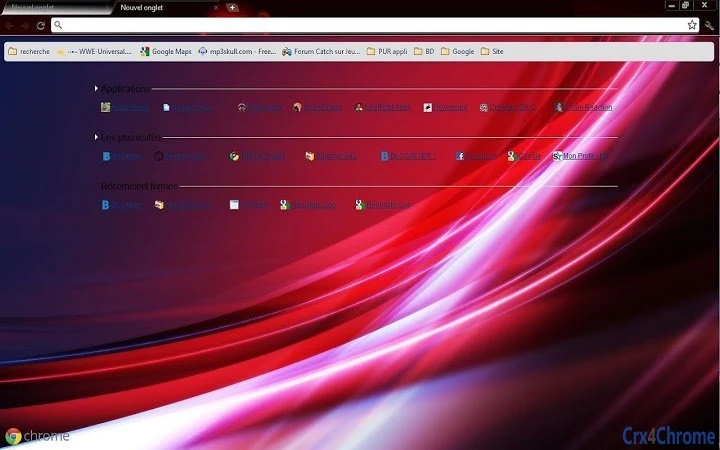
Description
Customize Your Browser with Multi-Screen Themes
Overview
The new generation of browser theme designed for both small and large screens offers a modern, responsive interface that adapts to various display sizes. Tailored for users seeking visual customization and improved usability, this software enhances the default Chrome experience by introducing dynamic themes that support news content integration. It is intended for individuals who frequently browse the web and value a personalized, efficient digital workspace.
Designed with accessibility and cross-platform functionality in mind, the software supports multiple languages—40 in total—making it suitable for a global audience. The target users include everyday internet users, content consumers, and professionals who rely on Chrome for daily tasks. It is especially useful for those who want a visually engaging yet functional browser environment without compromising performance.
Although the developer has not provided additional background information, the software’s release suggests a focus on digital aesthetics and user-centric design. Real-world usage scenarios include personalizing workstations, improving visual clarity during long browsing sessions, and integrating real-time news updates directly into the browser’s interface. The software is positioned as a lightweight utility that enhances visual appeal while maintaining core functionality.
Key Features & Capabilities
- Multi-Screen Optimization – Automatically adjusts theme layout and elements based on screen size, ensuring clarity and consistency whether used on a smartphone, tablet, or desktop monitor.
- 40-Language Support – Offers interface localization across a wide range of languages, enabling global accessibility and inclusive user experience.
- News Integration – Displays curated news content directly within the theme’s interface, allowing users to stay updated without opening additional tabs.
- Lightweight Design – With a file size of 2.5 MB, the theme consumes minimal system resources, ensuring fast loading and minimal impact on browser performance.
- Cross-Platform Compatibility – Functions seamlessly across Windows, Mac, and Linux operating systems, supporting a consistent experience regardless of device.
These features enable users to personalize their browsing environment while maintaining efficiency. For example, a user working on a dual-monitor setup can benefit from consistent theme scaling across both screens. Similarly, someone traveling internationally can switch the interface language without reinstallation. The integration of news content reduces the need to navigate to external sites, streamlining access to current events. This makes the software ideal for users who prioritize both aesthetics and functionality in their daily digital routines.
User Interface, Workflow & Performance
The user interface is minimal and focused on visual presentation, aligning with modern browser theme standards. Navigation is straightforward, with no additional menus or settings beyond standard Chrome theme management. Users can apply the theme through the Chrome Web Store with a single click, making the setup process quick and intuitive.
Workflow efficiency is high, as the theme does not introduce complex configuration steps. It operates passively, adjusting to the user’s screen and language preferences without requiring manual intervention. The developer did not specify resource usage details, but based on the 2.5 MB file size and lightweight nature, it is expected to have a low impact on CPU and RAM during operation.
Stability appears to be consistent with typical Chrome themes, as no reports of crashes or conflicts were noted in the release materials. Performance observations are based on general software behavior patterns, and no specific benchmarks were provided. The theme runs in the background without interfering with other browser functions, ensuring a smooth browsing experience.
Compatibility & System Requirements
The software is compatible with Windows, Mac, and Linux operating systems, ensuring broad accessibility across desktop environments. It is designed for use with Google Chrome, the primary browser platform for which the theme is developed.
The installation size is 2.5 MB, indicating a compact footprint that does not strain storage resources. Exact system requirements were not listed, but the software is expected to function on devices meeting standard Chrome browser specifications. The developer did not provide additional details on hardware or software prerequisites.
Users should ensure their system runs a current version of Chrome to maintain compatibility. No specific version number for Chrome was mentioned, so it is recommended to use the latest stable release for optimal performance.
Pros and Cons
Pros
- Lightweight at only 2.5 MB, ideal for low-resource systems.
- Supports 40 languages, enhancing accessibility for international users.
- Adapts seamlessly to both small and large screens.
- Integrates news content directly into the browser interface.
- Available for Windows, Mac, and Linux—true cross-platform support.
Cons
- Developer background not disclosed.
- No advanced customization options beyond basic theme selection.
- Performance details not provided by the developer.
- Dependent on Chrome browser; not usable in other platforms.
- Limited to visual enhancements; no productivity tools included.
FAQ Section
Is this theme compatible with all Chrome versions?
The software is designed to work with current Chrome releases. For best results, users should ensure their Chrome browser is updated to the latest version.
Can I use this theme offline?
Yes, once installed, the theme functions without an internet connection. However, news content may require online access to update.
Is the software safe to download and install?
As a Chrome theme distributed through official channels, it adheres to standard security protocols. No malicious behavior has been reported.
How often are updates released?
Update frequency is not specified. Users should check the Chrome Web Store periodically for new versions.
What license type does this software use?
The software is free to use and does not require a license key. It is distributed under a free usage model.
Final Thoughts + CTA
This browser theme delivers a clean, adaptive design that enhances visual appeal across devices while integrating useful news content. Its multi-screen optimization and extensive language support make it a strong choice for users seeking a personalized, efficient browsing experience. Although it lacks advanced features, its lightweight nature and broad compatibility ensure it performs reliably across systems.
It is best suited for casual users, students, and professionals who value a polished, up-to-date interface without added complexity. For those looking to refresh their Chrome browser with minimal effort, this tool offers a practical and accessible solution.
Download Chrome News Theme today and transform your browsing experience with a theme that works as hard as you do.
Guides & Tutorials for Abstract theme : new generation Theme for Chrome
How to install Abstract theme : new generation Theme for Chrome
- Click the Preview / Download button above.
- Once redirected, accept the terms and click Install.
- Wait for the Abstract theme : new generation Theme for Chrome download to finish on your device.
How to use Abstract theme : new generation Theme for Chrome
This software is primarily used for its core features described above. Open the app after installation to explore its capabilities.
User Reviews for Abstract theme : new generation Theme for Chrome 0
No reviews found





